
The problem
TPS drops at peak hours almost never have a single cause. Mob farms, active redstone, loaded chunks, and high view distances stack up until the server can't recover on its own.
The classic response is manual and blanket: kill entities, cut world settings, lower view distance for everyone. The lag goes away, sure, but the server feels worse for everyone, including the players who weren't causing it.
And most tools make you choose: either you babysit the server all day, or you let some aggressive automation decide for you. Neither path ends well.
What an operator needs is precision: act only on the real source of the problem, and undo the change just as carefully.
The solution: how it's built
The idea is simple: observe before acting, mitigate only where needed, and recover carefully. Each layer decides on its own.
AIMD Congestion Control
The system uses Additive Increase Multiplicative Decrease, the same principle behind TCP congestion control: it eases off gradually when there's headroom and cuts hard under pressure. Nobody has to tune that curve by hand. A fixed threshold would be brittle.
Circuit Breakers
If an action keeps failing, the system stops trying it instead of making things worse. Three failures open the breaker, then a 120-second pause before retrying. Same pattern as in distributed systems, applied to a game server.
Regional Auto-Revert
Lowering view distance globally is a sledgehammer. Auto-revert checks whether the specific zone where the action was applied has recovered, not the whole server. Reverts happen earlier and with less collateral damage.
Observer / Decision Separation
The Eye never decides, and the orchestrator never observes directly. That means any submotor can be swapped without touching telemetry, and each domain gets observed at its own pace without slowing down decisions.
The Eye: real-time observability
The Eye is the plugin's telemetry. It runs inside the server process and shows live state, no external infrastructure needed.
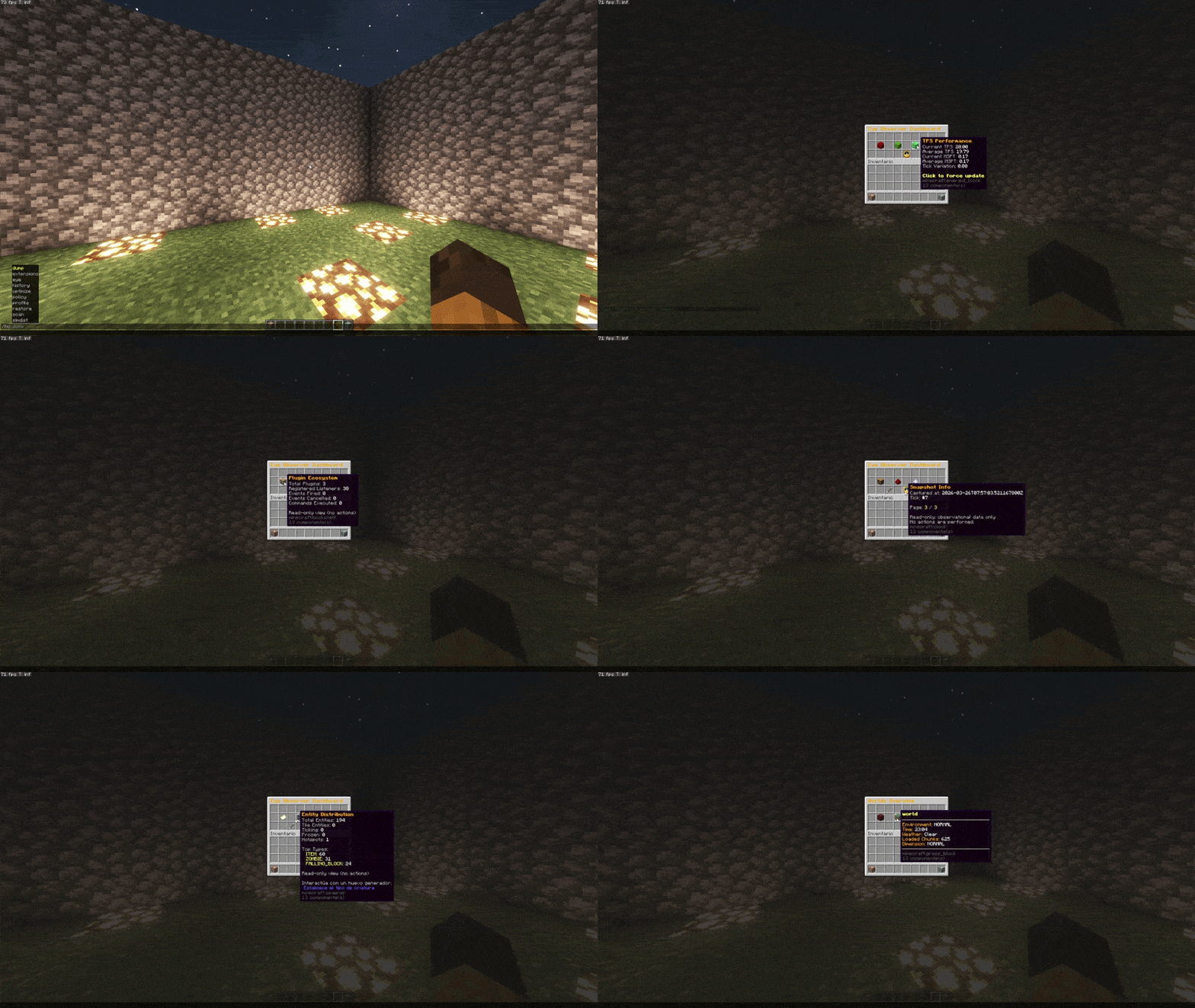
Server
Tick time, uptime, JVM state
Memory
Used, free, GC events
Performance
TPS, MSPT, variance
Worlds
Environment, time, weather, chunk counts
Chunks
Loaded, simulated, forced, hotspots
Entities
Total, by type, tile entities
Players
World, view distance, ping
Network
Packets, bandwidth
Mechanics
Pistons, hoppers, redstone, mob spawning
Most optimization plugins act blind. This one observes first.
Automatic capabilities
In ACTIVE mode, the orchestrator picks and applies these actions based on what's actually happening on the server. Nobody has to touch anything.
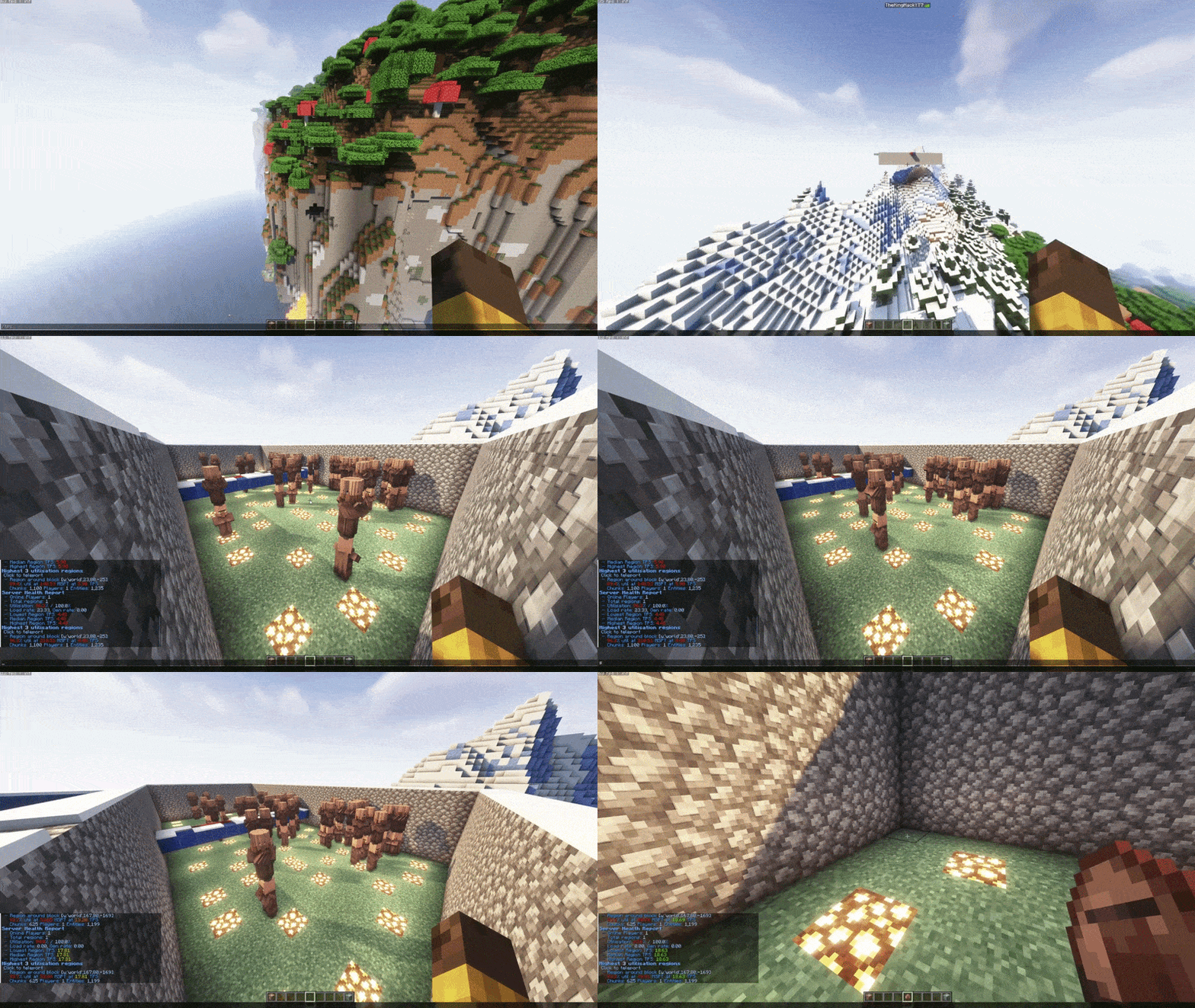
Entity pressure
- Mob AI pause by chunk radius
- Item merging
- Heuristic item despawn
- Dynamic spawn limits
- Mob goal simplification
Chunk saturation
- Per-player view distance reduction
- Per-world and per-region overrides
- Simulation distance adjustment
- Priority hierarchy: admin override -> immunity -> permission cap -> WorldGuard region -> active profile -> base heuristic
Redstone / mechanics
- Redstone update throttle (updates/sec)
- Smart hopper throttle
- Piston activation limits
- Particle density reduction
- Entity tracking range adjustment
Native Folia support
Folia brings region-based multithreaded ticks to Paper servers: independent world regions run in parallel.
That's where most plugins break, because they assume a single tick thread. Their scheduler use, state handling, and cross-thread access don't survive regionalized execution.
Aurora Optimizer supports Folia natively, not through a compatibility shim. The executor layer has separate implementations for Paper and for Folia. Almost no optimization plugin handles Folia well; this one does.
In practice
Network with ranked groups
VIP players pay for a better experience, but without prioritization they suffer the same lag as everyone else at peak hours. Aurora applies different caps per permission group and, under load, degrades everyone proportionally: the gap between ranks holds.
Survival server with heavy farms
Mob farms are the most common cause of lag spikes. The system finds the saturated chunks, pauses mob AI only there, and reverts the change once density goes back to normal. No staff involved, and players outside the farm never notice.
Diagnosing unexplained lag
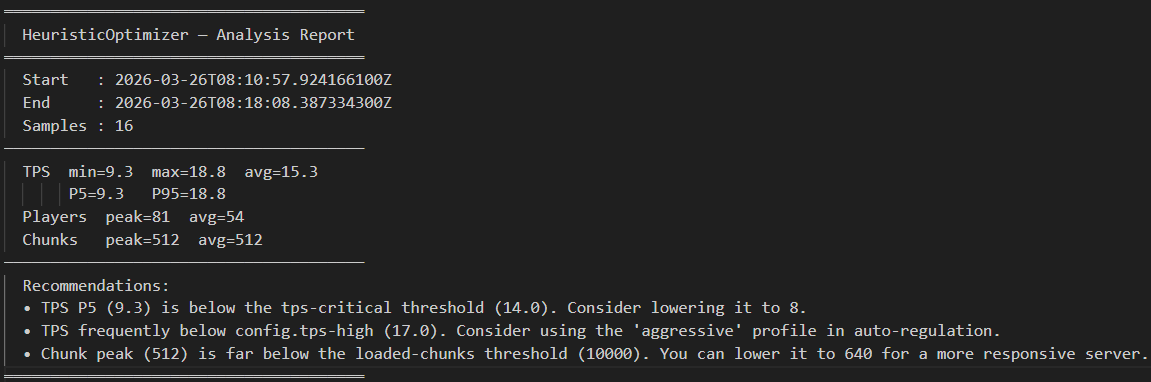
Analysis mode runs a full session without touching anything, just watching. At the end you get a report with the causes it found and configuration recommendations. It's the recommended first step on a new server.
Technical stack
- Language
- Java 21
- Platform
- Paper 1.21.x / Folia 1.21.x (native)
- Required dep.
- ProtocolLib 5.3.0+
- Optional
- LuckPerms · PlaceholderAPI · WorldGuard · Spark
- Configuration
- YAML + .hopl policy files (hot-reload supported)
- Public API
- Yes: external submotors and metric providers
- Analytics
- Opt-in only, disabled by default
Contact
Interested in using this on your server or network?